
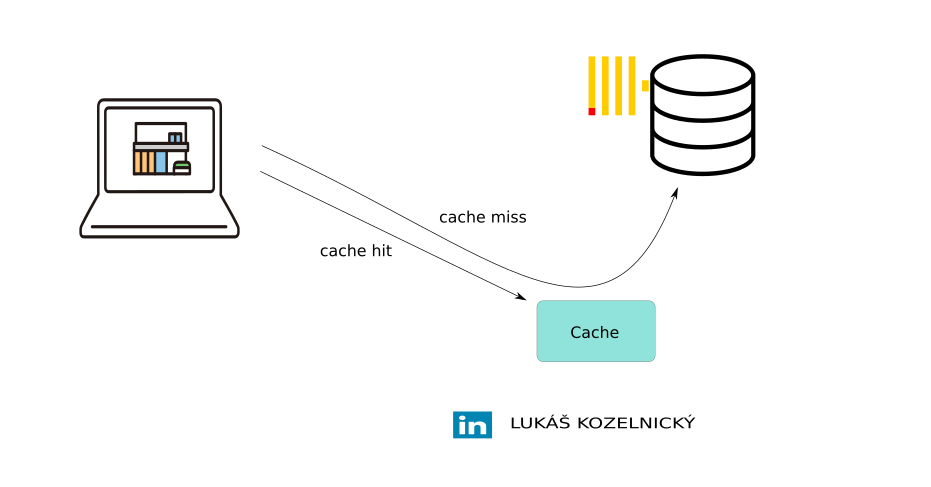
While ClickHouse is famous for its speed, much of that performance actually stems from its columnar storage and vectorized execution. Caching acts as a secondary layer of specialized mechanisms designed to smooth out hardware bottlenecks.
If you’ve ever wondered why sometimes the queries are faster than usually, this article is for you. We’ll walk through ClickHouse’s main caches, how they differ, how to monitor them, and when (and when not) to rely on them.
The Role of Caching in ClickHouse
ClickHouse is a columnar database optimized for analytical workloads, caching can happen:
- at the operating system level (operating system page cache),
- at the storage layer (uncompressed data cache, mark cache, disk cache),
- and at the query execution level (query cache, conditional query cache).
Each cache type operates independently, has different visibility, and is exposed through different monitoring metrics.
The Main ClickHouse Caches
We’ll focus on these primary caches:
- 1. Operating System Page Cache
- 2. Disk Cache
- 3. Mark Cache
- 4. Uncompressed Data Cache
- 5. Query Cache
- 6. Conditional Query Cache
1. Operating System Page Cache
The operating system page cache isn’t specific to ClickHouse. When ClickHouse reads compressed data from the disk then Linux stores those blocks in RAM. Subsequent reads hit RAM instead of disk, providing a boost in performance without ClickHouse doing anything explicit.
It is not configurable to change the size of the operating system page cache, ClickHouse is using the free RAM. Heavy ingestion and background merges can pollute or flush the page cache, as large volumes of new data are written, the “hot” data that users are actively querying is evicted from RAM, leading to significant performance drops.
To disable operating system cache it is necessary to configure very small number of bytes in `min_bytes_to_use_direct_io` – this forces to read data from storage and thus Operating System Page Cache cache is not used. Forcing Direct I/O is usually only recommended for systems using high-speed NVMe drives or when the data ingestion is so massive that the Page Cache is guaranteed to be useless anyway.
2. Disk Cache
The disk cache is used when ClickHouse reads data from remote object storage (like S3, Azure Blob, or HDFS). It maintains a local on-disk cache for frequently accessed data files (parts) and this significantly reducing network I/O and latency.
It’s configured per storage disk (not per table). When ClickHouse fetches remote data, it first checks the local cache directory – if the part exists there, it’s read locally instead of re-downloading.
Example configuration:
<storage_configuration>
  <disks>
    <s3_disk>
        <type>s3</type>
        <support_batch_delete>true</support_batch_delete>
        <endpoint>https://s3.amazonaws.com/mybucket/</endpoint>
        <access_key_id>.......</access_key_id>
	    <secret_access_key>......</secret_access_key>
        <metadata_path>/var/lib/clickhouse/disks/s3_disk/</metadata_path>
        <skip_access_check>true</skip_access_check>
    </s3_disk>
    <s3_disk_cache>
        <type>cache</type>
        <disk>s3_disk</disk>
        <path>/var/lib/clickhouse/disks/s3_disk_cache/</path>
        <max_size>32Gi</max_size>
        <cache_on_write_operations>1</cache_on_write_operations>
    </s3_disk_cache>
  </disks>
</storage_configuration>
Once the disk is defined, it must be included within a storage policy. This policy is then assigned to the table during creation (or via ALTER) to enable the cache.
Setting `cache_on_write_operations=1` makes that when data are written to a table using this policy (as in example above), ClickHouse will write the data to S3 and populate the local cache simultaneously. This makes the “first read” of new data fast. If this is 0, the cache is only populated when someone first queries the data (Lazy Load).
Monitoring
- Disk cache related system tables:
- system.filesystem_cache
- system.disks
- system.storage_policies
- Disk cache current metrics (system.metrics):
- FilesystemCacheSize – Filesystem cache size in bytes
- FilesystemCacheElements – Filesystem cache elements (file segments)
- FilesystemCacheReadBuffers – Number of active cache buffers
- Disk cache asynchronous metrics (system.asynchrounous_metrics):
- FilesystemCacheBytes – Total bytes in the filesystem cache
- FilesystemCacheFiles – Total number of cached file segments in filesystem cache
- Cache profile events (system.events):
- CachedReadBufferReadFromSourceBytes – Cache miss, bytes read from filesystem cache source (from remote filesystem – S3, etc)
- CachedReadBufferReadFromCacheBytes – Cache hit, bytes read from filesystem cache
- CachedReadBufferReadFromSourceMicroseconds – Time spent reading from filesystem cache source (from remote filesystem – S3, etc)
- CachedReadBufferReadFromCacheMicroseconds – Time spent reading from local filesystem cache
- CachedReadBufferCacheWriteBytes – Data written to the cache from source (remote filesystem S3, etc) for select queries
- CachedReadBufferCacheWriteMicroseconds – Time spent writing data into filesystem cache from source (remote filesystem S3, etc) during select queries
- CachedWriteBufferCacheWriteBytes – Bytes written to filesystem cache for insert queries
- CachedWriteBufferCacheWriteMicroseconds – Time spent writing data into filesystem cache during insert queries
- Useful commands:
- SHOW FILESYSTEM CACHES – display configured caches
- SYSTEM DROP FILESYSTEM CACHE ‘cache_name’ – clear filesystem caches
- DESCRIBE FILESYSTEM CACHE ‘cache_name’ – cache configuration and stats
3. Mark Cache
ClickHouse uses two different storage formats for the table data depending on the size of the data part – compact and wide parts. While compact parts bundle all data into a single file for efficiency with small writes, wide parts (the default for larger data) persist each column as a separate pair of a binary data file (column.bin) containing compressed values and a mark file (column.mrk2) containing structural metadata.
When there is a select query which uses column from Primary index in WHERE clause, ClickHouse first uses the Primary Index (stored always in RAM) to identify which granules might contain the data. It then looks up those specific granules (ranges of rows, default 8192) might contain the relevant data. It then looks up the offsets for those granules in the Mark Cache. The marks provide the exact coordinates needed to seek the disk to the correct compressed block in the .bin file, decompress only that block, and extract the relevant rows. If the required marks are not in the Mark Cache, they must be read from the mark files on disk.
This makes Mark Cache plays a crucial role in minimizing metadata I/O during data reading. A cache miss here forces ClickHouse to read mark (.mrk) files from disk, which can increase latency, especially on remote storage.
Monitoring
- Size is configured with index_mark_cache_size server settings. By default it is 512 MiB.
- Mark cache metrics (system.metrics):
- MarkCacheBytes – total size of mark cache in bytes
- MarkCacheFiles – total number of mark files cached in the mark cache
- IndexMarkCacheBytes – total size of mark cache for secondary indices in bytes
- IndexMarkCacheFiles – total number of mark files cached in the mark cache for secondary indices
- Mark cache profile events (system.events):
- MarkCacheHits – number of times element has been found in mark cache, cache hit
- MarkCacheMisses – number of times element has not been found in mark cache, cache miss
4. Uncompressed Data Cache
ClickHouse stores compressed data on disk and in the page cache. Since decompression consumes both CPU cycles and time, the uncompressed data cache can be used to accelerate queries. It stores decompressed data blocks that are faster to process. Enabling the session setting `use_uncompressed_cache` (disabled by default) can significantly reduce latency for short, frequent queries. The cache size is governed by the `uncompressed_cache_size parameter` (8 GB by default).
Monitoring
- Uncompressed data cache metrics (system.metrics):
- UncompressedCacheBytes – Total size of uncompressed cache in bytes
- UncompressedCacheCells – Number of cells in uncompressed cache
- Uncompressed data cache profile events (system.events):
- UncompressedCacheHits – Cache hit, number of times a block of data has been found in the uncompressed cache (and decompression was avoided)
- UncompressedCacheMisses – Cache miss, number of times a block of data has not been found in the uncompressed cache (and required decompression)
- UncompressedCacheWeightLost – Number of bytes evicted from the uncompressed cache
- Useful commands:
- SYSTEM DROP UNCOMPRESSED CACHE – Clear manually uncompressed cache
5. Query Cache
The query cache stores complete query result sets in memory. Results remain available in RAM for subsequent identical queries for the duration of the `query_cache_ttl` interval (default: 60s).
By default, the query cache is private to each user. To allow results to be shared across different users, enable the `query_cache_share_between_users` setting.
The query cache stores entire query result sets in memory. Results remain available in RAM for subsequent identical queries for the duration of the `query_cache_ttl` interval (default 60s). By default, the query cache is private to each user. To allow results to be shared across different users, enable the `query_cache_share_between_users` setting.
If a query contains non-deterministic functions (e.g., now(), rand()), ClickHouse throws an exception by default to prevent caching potentially stale or incorrect data. This behavior is managed by the `query_cache_nondeterministic_function_handling` which can be set to `ignore`, `save` or `throw`.
ClickHouse uses an Abstract Syntax Tree (AST) comparison to determine if a new query matches a cached one. This means the cache is case-insensitive and agnostic to extra whitespace, as it compares the underlying structure of the query rather than the raw string.
Generally, it is recommended to enable the query cache only for specific, high-latency queries where data volatility is low, rather than enabling it globally.
Usage:
SELECT ... FROM ... SETTINGS use_query_cache = 1, query_cache_share_between_users=1, query_cache_ttl=300;
It is possible to have even more granular control with `enable_writes_to_query_cache` and `enable_reads_from_query_cache session` setting. Below is a attempt only reading from query cache, but result is not saved:
SELECT ... FROM ... SETTINGS use_query_cache = true, enable_writes_to_query_cache = false;
Default server-side settings are defined in the configuration XML. These limits prevent the cache from consuming excessive system resources:
<query_cache>
    <max_size_in_bytes>1073741824</max_size_in_bytes>
    <max_entries>1024</max_entries>
    <max_entry_size_in_bytes>1048576</max_entry_size_in_bytes>
    <max_entry_size_in_rows>30000000</max_entry_size_in_rows>
</query_cache>
Monitoring
- system tables: system.query_cache, system.query_log (query_cache_usage column)
- Query cache profile events (system.events):
- QueryCacheHits – Number of times a query result has been found in the query cache
- QueryCacheMisses – Number of times a query result has not been found in the query cache
- Query cache current metrics (system.metrics):
- QueryCacheEntries – Total number of entries in the query cache
- QueryCacheBytes – Total size of the query cache in bytes
- Useful commands:
- SYSTEM CLEAR QUERY CACHE – clears query cache
6. Conditional Query Cache
The Query Condition Cache (introduced in version 25.3 and enabled by default from 25.4) is a significant advancement in query performance. Unlike the traditional Query Cache (which stores entire result sets), the Query Condition Cache speeds up execution by “remembering” the results of WHERE conditions at the granule level.
Thanks to this mechanism, ClickHouse can skip large portions of data during the reading phase, even if the overall query structure changes, as long as the filters remain consistent.
The cache operates by tracking the outcome of evaluated filters for every data granule. This information is stored with extreme efficiency using a single bit. 0 Bit means no rows in the granule satisfy the filter condition (the entire granule is skipped). 1 Bit means that at least one row matches the filter (the granule must be read).
The query condition cache only works when `enable_analyzer` is enabled (by default from 24.3).
Under normal circumstances, there is no need for manual tuning or extra settings. Conditional query cache can be disabled with `use_query_condition_cache` session setting.
Monitoring
- system tables: system.query_condition_cache
- Conditional query cache profile events (system.events):
- QueryConditionCacheHits – Number of times an entry has been found in the query condition cache
- QueryConditionCacheMisses – Number of times an entry has not been found in the query condition cache
- Useful commands:
- SYSTEM CLEAR QUERY CONDITION CACHE – clear query condition cache
Key Takeaways
- 1. Strategic I/O Efficiency: ClickHouse leverages a combination of low-level caches (OS Page Cache, Mark Cache, and Uncompressed Cache) to minimize physical disk reads and reduce CPU overhead during data decompression.
- 2. Higher-Level Intelligence: The Query Cache (storing full results) and Query Condition Cache (storing granule-level filter matches) provide a “shortcut” for repetitive or structurally similar analytical workloads, bypassing the execution engine entirely.
- 3. Performance Monitoring: Visibility is provided through specialized system tables, but for almost all of them can be use
system.metrics,system.asynchronous_metricsorsystem.eventstables. Monitoring hit/miss ratios is essential to distinguish between a truly optimized schema and one where caching is merely masking underlying disk latency issues.
Understanding caching is vital because it enables systems to deliver data from high-speed memory, drastically reducing latency compared to traditional disk storage (or from remote filesystem).